What Is a Headless CMS?
A headless CMS separates the content repository (the "body") from the presentation layer (the "head"). Content lives in a backend, then travels through APIs to any frontend you choose—websites, mobile apps or even IoT displays. This API-first approach frees developers to build with React, Vue or any framework without wrestling with template engines.
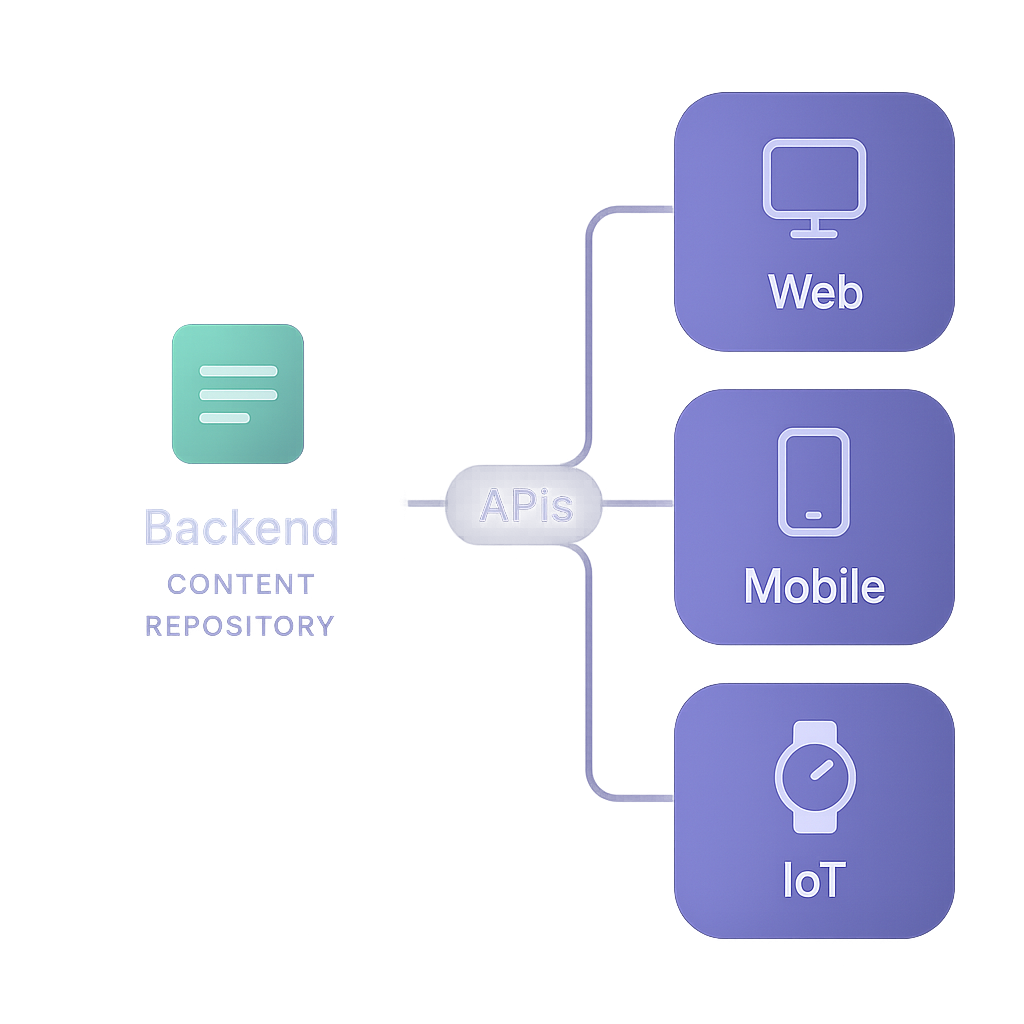
Decoupled architecture: backend for content, frontend for display, as outlined in Contentful's guide to headless CMS.
Content-as-data delivered via REST or GraphQL endpoints, as detailed on Strapi's headless CMS features page.
Comparison to traditional CMS: no monolithic themes or PHP plugins blocking agility.
How It Differs from Traditional CMS
With WordPress or Drupal, the system tightly couples content editing, storage and rendering. A headless CMS drops that coupling—content editors work in a streamlined interface while developers control presentation separately, preventing plugin conflicts or performance bottlenecks.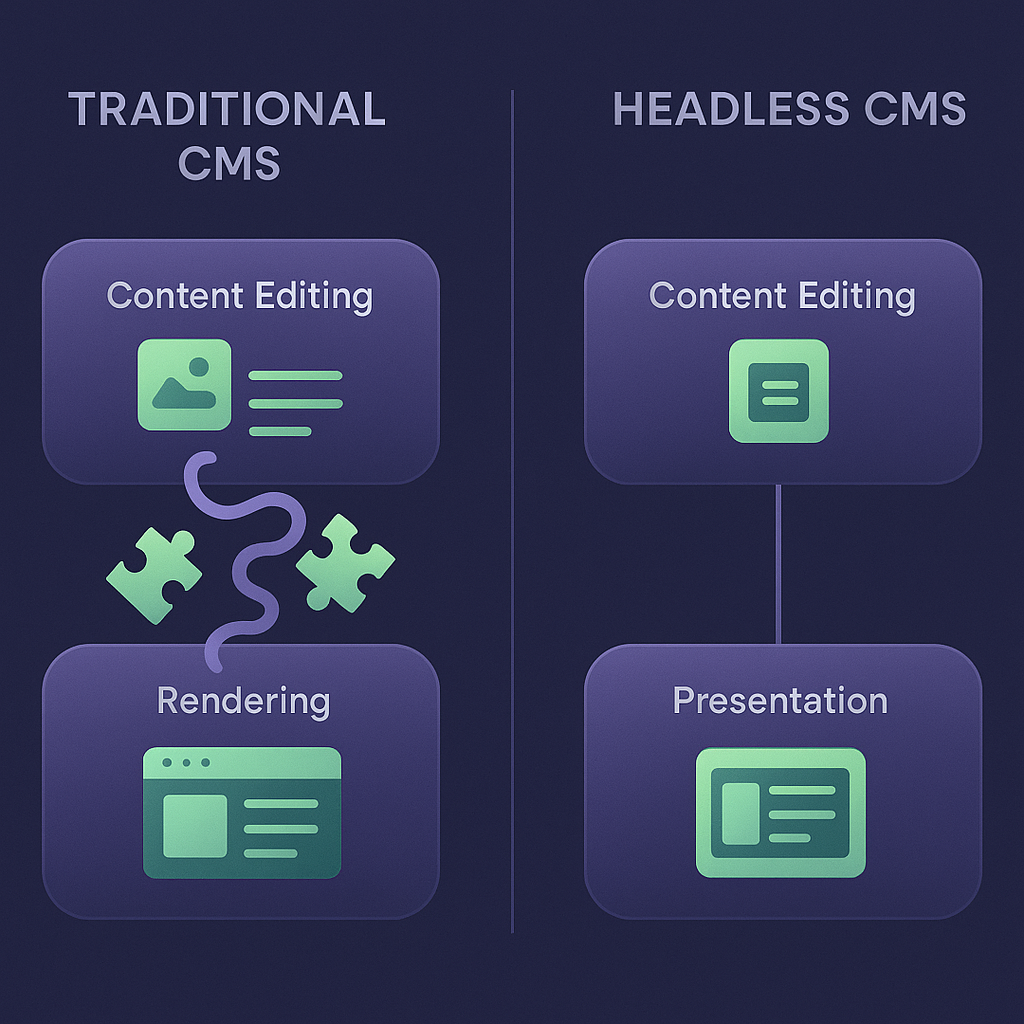
Not every WordPress site needs replacing. If you’re still deciding whether a switch makes sense, review our breakdown of reasons to move beyond WordPress for project-fit, maintenance, performance and migration considerations.
Key Advantages for Startups
Early-stage companies need speed, flexibility and low overhead. A headless CMS delivers:
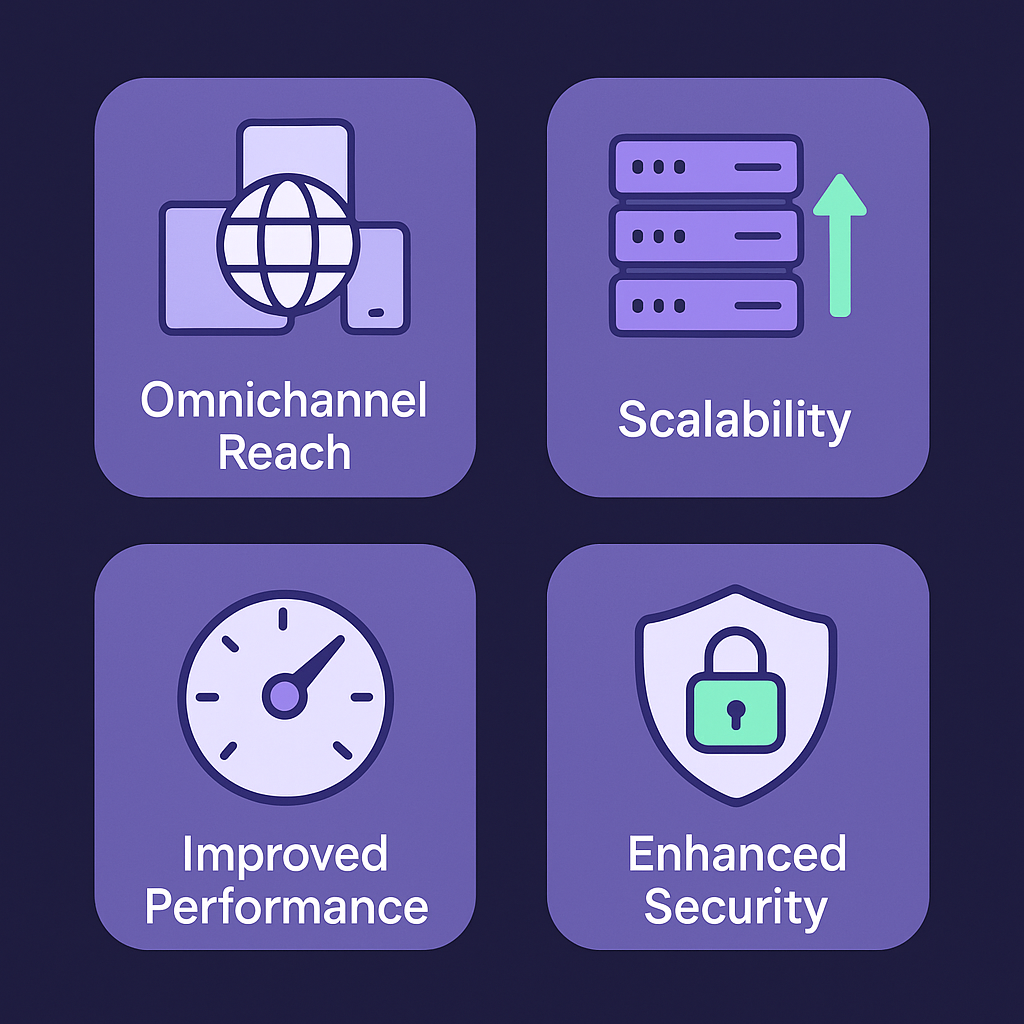
Omnichannel reach: publish once, display everywhere—web, mobile, IoT or kiosks, as seen in Sanity's omnichannel content delivery overview.
Scalability: auto-scale content API under sudden traffic spikes.
Improved performance: static rendering or edge caching cuts load times, explained in Builder.io's analysis of headless CMS performance.
Enhanced security: no public admin panels or PHP attack surface.
Omnichannel Delivery in Practice
Imagine pushing a product update simultaneously to your marketing site, mobile app and digital signage. All use the same content API; no duplication or manual sync.
Emerging Trends Shaping Headless Adoption
Beyond the basics, these developments are rewriting the rulebook for startups:
1. Composable Digital Experience Platforms
Rather than one-size-fits-all suites, composable DXP stitches together headless CMS, marketing automation, personalization engines and analytics into a modular stack. Gartner refers to this as the future of flexible digital ecosystems, enabling tailored digital capabilities.
2. AI-Driven Content Automation
AI tools now suggest headlines, auto-generate summaries or personalize copy in real time. According to Forrester's prediction on AI in CMS implementations, over 30% of enterprise CMS implementations will integrate machine learning by 2025, letting teams deploy tailored content at scale with minimal manual effort.
3. JAMstack and Serverless Architectures
Pairing a headless CMS with static site generators (Gatsby, Next.js) and serverless functions means ultra-fast, low-cost deployments. As highlighted in Netlify's report on JAMstack adoption, 75% of its most popular sites now leverage a headless backend.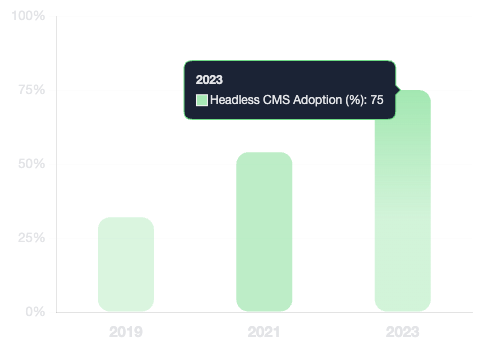 Headless CMS Adoption on Netlify
4. Instant Localization and Internationalization
Startups targeting global users can automate translation workflows and deliver region-specific content without spinning up separate sites. Consumers are four times more likely to purchase when information appears in their native tongue, according to Common Sense Advisory's report on native language purchasing behavior.
5. Micro Frontends for Team Autonomy
Micro frontend patterns let independent teams build, test and deploy discrete UI modules—product pages, checkout flows or dashboards—each hooking into the same headless CMS. JavaWorld's analysis of micro frontend adoption trends notes a 20% annual rise, reducing development bottlenecks.
Real-World Use Cases
Startups across industries are live with headless CMS:
Industry/Use Case | Example Scenario |
|---|---|
E-commerce | Online storefronts built with Next.js, using a headless CMS to manage product listings, promotions, and content-rich landing pages. |
Marketing | Dynamic marketing sites delivering personalized user journeys, with editors updating content and campaigns in real time. |
Mobile Applications | Mobile apps that sync product catalogs and articles instantly, ensuring users always see the latest content and offers. |
IoT Devices | IoT dashboards aggregating sensor data alongside editorial content, enabling real-time updates and contextual information for users. |
E-commerce storefronts using Next.js plus a headless backend
Content-heavy marketing sites with personalized user journeys
Mobile apps syncing products and articles in real time
IoT dashboards pulling sensor data and editorial content
Your Next Move
Before moving off WordPress, identify the limitation you need to solve: for example, publishing to multiple channels, supporting localization or changing the frontend independently. Test one representative page or content workflow in a headless proof of concept, then compare the editing experience, preview process and ongoing maintenance with your current setup. If WordPress already meets your team's needs, a migration may add work without solving a pressing problem.
If Storyblok is on your shortlist, read our startup-focused WordPress-to-Storyblok assessment for its discussion of editorial workflows, localization and migration considerations.
If you decide to migrate from WordPress to Storyblok, use our Storyblok content migration guide to plan the content inventory, test imports and check URLs before launch.
Need expert guidance on Headless CMS?
You can talk to an expert on Headless CMS and evaluate your options for free.
Get Free Consult