:format(webp))
:format(webp))
Astro vs. Next.js for Marketing Websites
You’re about to dive into a side-by-side look at Astro and Next.js, so you can pick the right tool for your next marketing site. By the end, you’ll understand each framework’s strengths, performance and SEO trade-offs, integration options, cost factors and future-proof features—plus some insider tips you won’t find anywhere else.
Next.js at a Glance
Next.js is a React-based framework maintained by Vercel, designed for hybrid static and server-rendered applications that scale effortlessly across the edge and server environments (official Next.js homepage).
Key Strengths
Hybrid SSG & SSR model for SEO and interactivity
Image and font optimization out-of-the-box
API routes for backend logic
Large plugin ecosystem (e.g., Commerce.js, Strapi)
First-class TypeScript support
What Sets It Apart
The separately installed Vercel AI SDK can be integrated with Next.js for chatbot or AI-search features; the integration and its maintenance still require application work.
Astro at a Glance
Astro focuses on delivering ultra-fast marketing sites by defaulting to static HTML and hydrating only what you need.
Key Strengths
Zero JavaScript by default
Islands Architecture for partial hydration (deep dive on Astro’s Islands Architecture)
Multi-framework support (React, Vue, Svelte, Solid, etc.) with no extra setup
Native Markdown rendering out-of-the-box
Tiny client-side bundles
What Sets It Apart
Teams can mix legacy React components with new Svelte widgets—ideal for gradual migrations.
How They Compare: Core Criteria
Criteria | Astro | Next.js |
|---|---|---|
Performance & Core Web Vitals | Ultra-fast performance; ships less JS by default; optimized for static sites | Strong performance with server rendering; good but can deliver more JS; dynamic capabilities |
SEO Capabilities | SEO-friendly by default; static output simplifies optimization | Robust SEO features; supports dynamic metadata and incremental static regeneration |
Content Management Integration | Works well with headless CMS; content collections simple to manage | Excellent integration with headless CMS; built-in API routes and dynamic content |
Developer Experience | Simple, minimal config; focuses on content and HTML; growing plugin support | Mature toolchain; rich features; advanced routing and integrations |
Community & Ecosystem | Smaller but rapidly growing community; emerging ecosystem of plugins | Large, active community; extensive plugins, support, and learning resources |
Scalability & Maintenance Costs | Low maintenance for static sites; fewer moving parts | Handles large, dynamic apps; cloud hosting options; higher complexity can raise costs |
Security Considerations | Static nature reduces attack surface; minimal server logic | Frequent updates; many built-in security features; dynamic features require vigilance |
Cost Analysis | Lower hosting costs (static); minimal infrastructure required | Free tier on Vercel; costs scale with dynamic usage and serverless functions |
Performance and Core Web Vitals
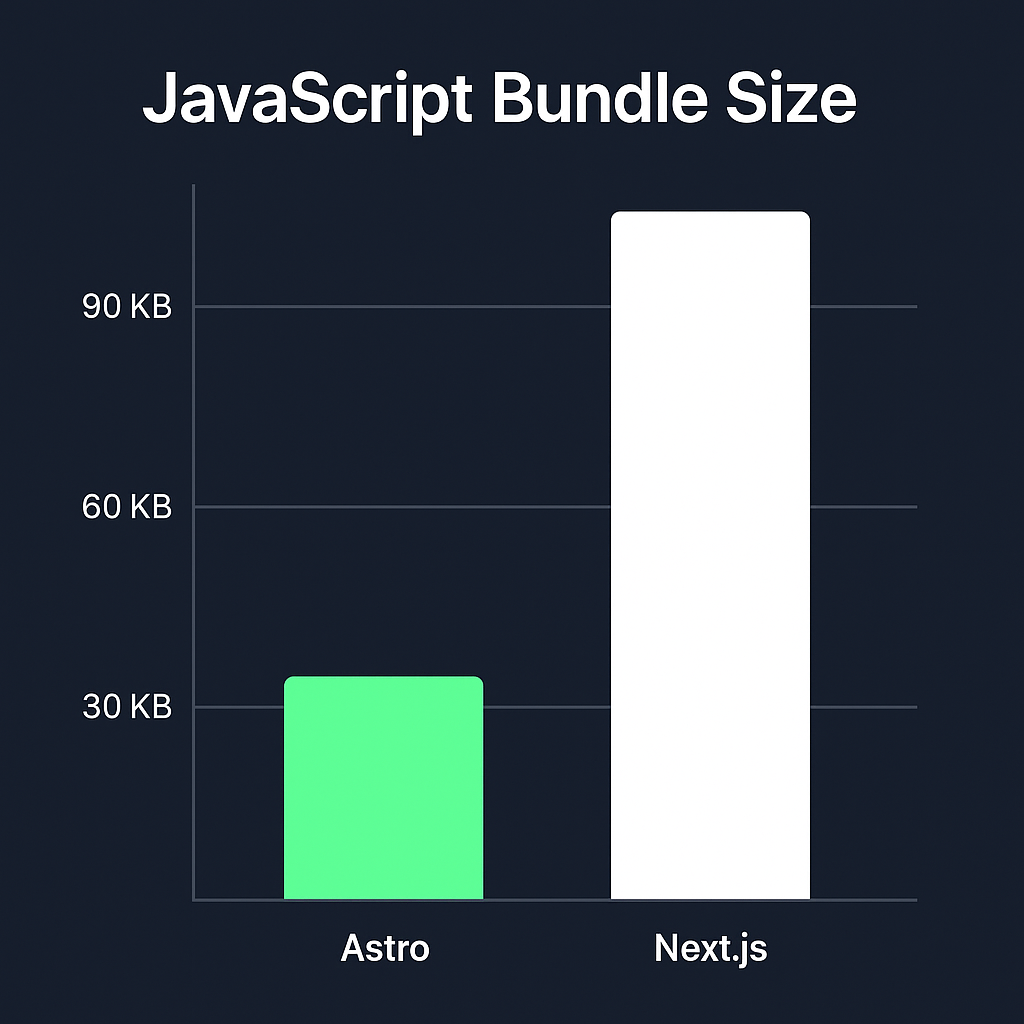
Astro uses Islands Architecture, hydrating only interactive bits. You’ll often see 50–70% smaller JS bundles compared to typical React sites, as demonstrated in Smashing Magazine’s analysis of Astro performance.
Next.js offers built-in optimizations like automatic code-splitting and image optimization, but pages with heavy interactivity still ship more JavaScript to the browser.
SEO Capabilities
Next.js leverages server-side rendering and Incremental Static Regeneration for constantly updated content with good crawlability.
Astro pre-renders every page as static HTML by default—ideal for landing pages and blogs where content changes less frequently.
Content Management Integration
Feature | Astro | Next.js |
|---|---|---|
Markdown Support | Yes | Requires Extra Config |
Headless CMS Compatibility | Yes | Yes |
Live Preview/Live Editing | Yes | Requires Extra Config |
Astro
- Supports Markdown natively—no plugins needed.
- Works seamlessly with headless CMSs like Contentful or Sanity.
Next.js
- Many starters for headless setups (e.g., Prismic, Strapi).
- May require extra configuration for markdown preview or live editing.
Developer Experience
Next.js gives you a full React ecosystem—hooks, context, a vast community of tutorials on React’s official site.
Astro’s API is minimal; you write components in your favorite framework and Astro handles routing, partial hydration, and bundling.
Community and Ecosystem
Next.js has a massive user base, frequent Vercel-driven updates and a rich plugin marketplace.
Astro is younger but rapidly growing; its multi-framework appeal draws contributors from different UI communities.
Scalability and Maintenance Costs
Next.js
Offers flexibility, but you’ll need ongoing management—templates and state solutions aren’t baked in, so non-devs sometimes need training.
Astro
Static-by-default model reduces server costs and security surface, but may need extra work for dynamic features like user accounts.
Security Considerations
Both frameworks rely on underlying Node.js setups—keep an eye on your dependencies and apply security patches from the Node.js Security Working Group.
Next.js SSR endpoints add potential attack vectors if not hardened.
Astro static output minimizes back-end attack surface.
Cost Analysis
Hosting
Astro static sites can go on any CDN or low-cost host—popular choices include Cloudflare’s CDN.
Next.js may need a Node.js runtime for SSR or ISR.
Development
Astro’s simplicity can reduce dev hours on small sites.
Next.js sometimes demands dedicated engineers for complex features.
Use Cases and Real-World Examples
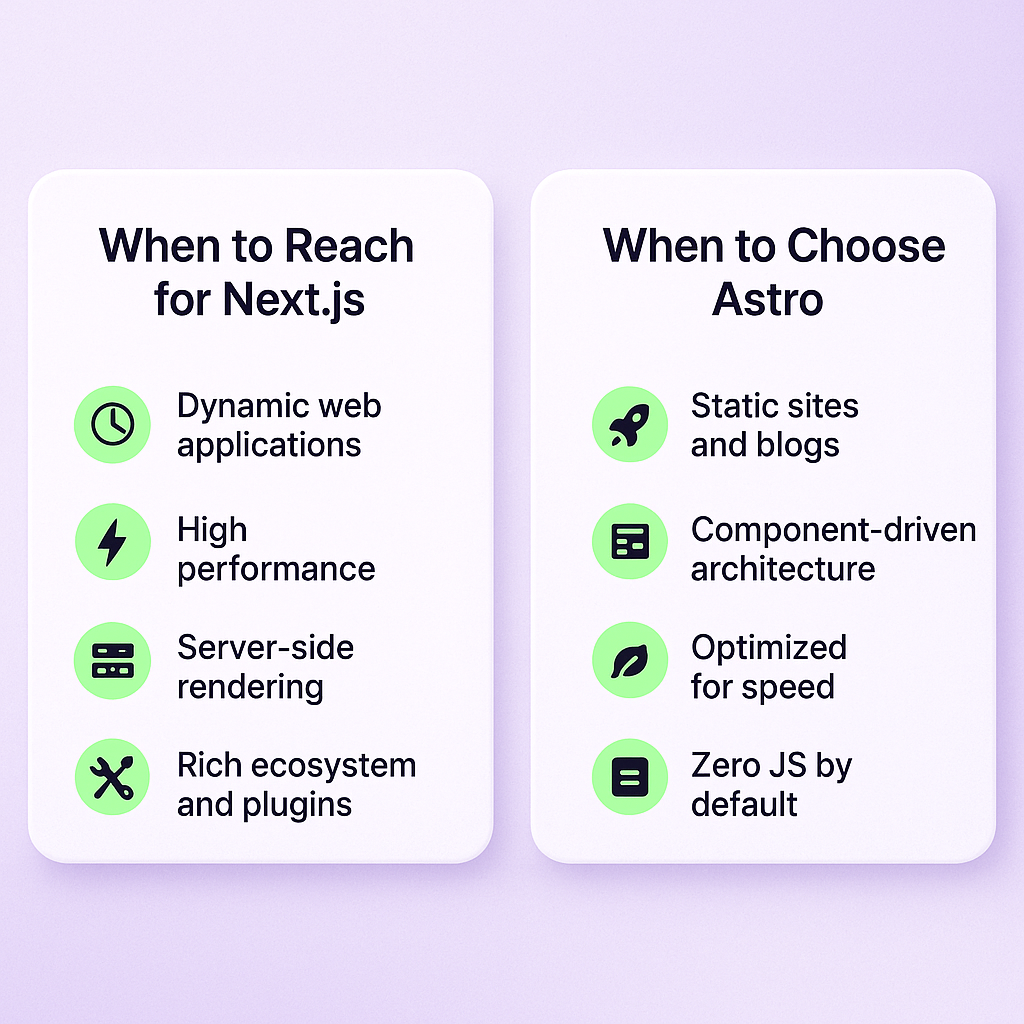
When to Reach for Next.js
Product landing pages that need server-side personalization or chatbot integrations, with the additional implementation and maintenance those features require.
Sites that blend static blogs with user dashboards or e-commerce carts.
Teams already deep in React who need SSR or dynamic routes.
When to Choose Astro
Content-heavy marketing sites or blogs where performance is paramount.
Projects that benefit from multiple UI frameworks or gradual code migrations.
Editorial teams writing directly in Markdown without extra tooling.
If Astro fits your marketing site and your team needs a visual CMS, see our guide to building a marketing website with Storyblok and Astro for a project setup and content-workflow considerations.
For project context, see how MeisterTask built its marketing website with Next.js and Storyblok to support its content team, and how Perk migrated its marketing site from Next.js to Astro when performance and technical debt called for a rebuild. These are project-specific decisions, not benchmark results for either framework.
Beyond Today: Future Trends
If you plan to add AI-powered features, assess the libraries, data access and maintenance they require rather than treating them as a built-in framework advantage.
Component-level hydration (the “islands” approach) is gaining traction for its efficiency and user-perceived speed.
“The island architecture is the smartest way to ship minimal JavaScript where you need it.” – Zeno Rocha, Astro co-creator
Picking Your Champion
Think about your priorities:
If your marketing site is mostly static content, values super-fast load times and uses Markdown—go with Astro.
If you require dynamic data, personalization, or heavy React investment—Next.js is the safer bet.
If you already have a Next.js marketing site and Astro looks like a better fit, follow our Next.js-to-Astro migration guide for the implementation steps, or see how Perk rebuilt its marketing site on Astro for an example of the trade-offs in a production migration.
If Astro fits your site but your team needs a CMS rather than repository-managed Markdown, choose the publishing workflow next. For visual editing and marketer-led page updates, read our Storyblok and Astro marketing-site guide. If custom content models and control of the backend matter more, see when Payload fits an Astro marketing site; account for preview, publishing and infrastructure ownership before committing.
Either way, you’ll end up with a high-performance, SEO-friendly site. Now it’s time to build something your visitors won’t forget.:format(webp))
:format(webp))
:format(webp))